For Magic: The Gathering players
Every sorcerer needs an assistant at their side
Warlock Assistant keeps your decks, your collections and your matches in one app. Look up any card with all its printings, build a deck with the format's rules in view, keep the life totals at the table. It runs on your phone, your computer and in the browser.
Free. No account needed.
Search results1 / 6
What it does
From paper games with friends to online games on MTG Arena
Build your decks
Start from scratch, from a precon or from a list you already have: as you build, the app checks the deck against the format.
- Banned cards, extra copies and cards outside your commander's colors get flagged, but the final call is yours
- Copy a precon, make it your own and compare it with the original
- Import from a file, a list or an Archidekt or Scryfall link
- Export for MTG Arena, Magic Online, Moxfield, Archidekt and Cockatrice
- See the mana curve, the estimated value and how many wildcards it takes to play it on MTG Arena
- Go back to earlier versions of the deck and the games you played with it
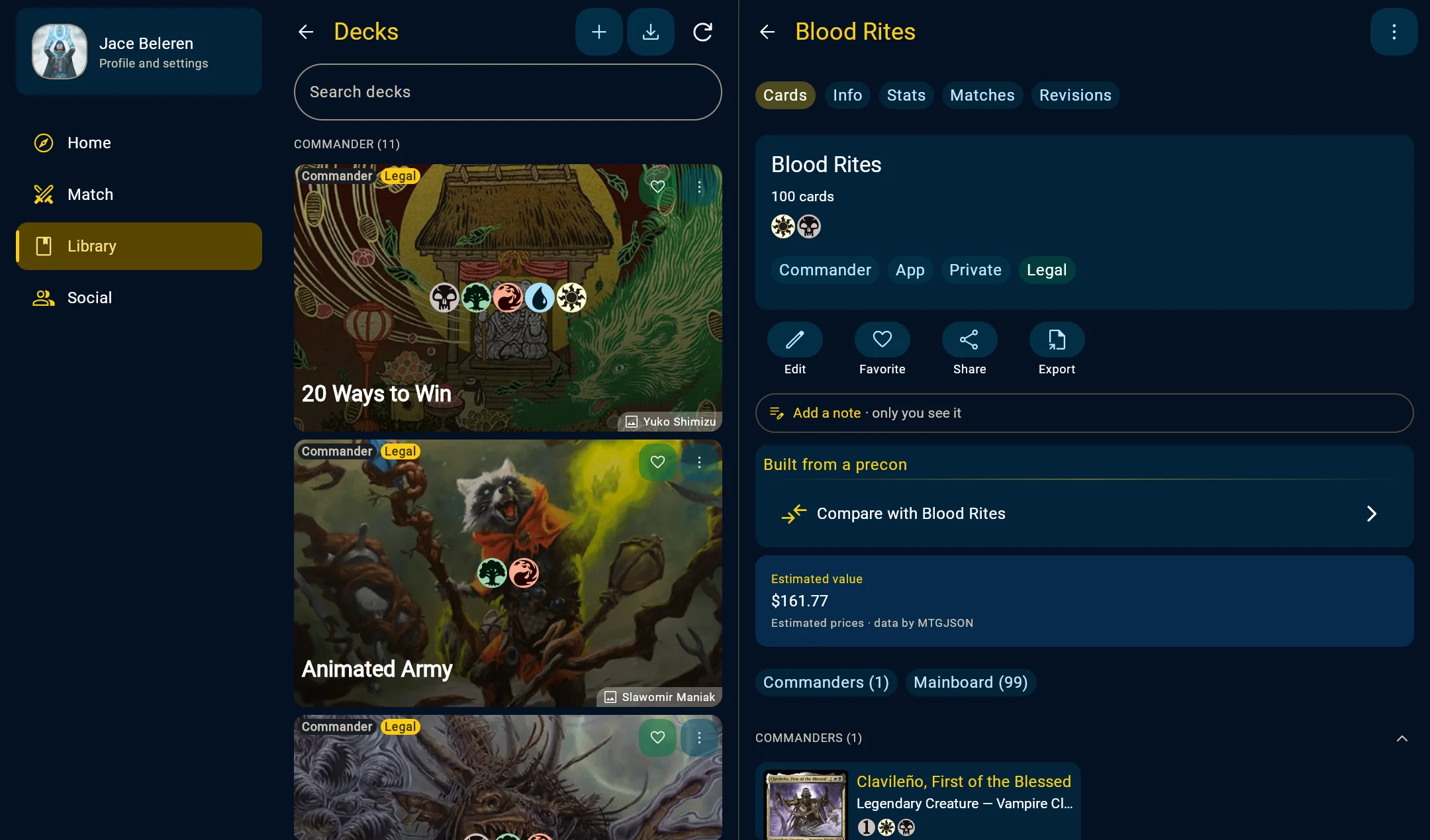
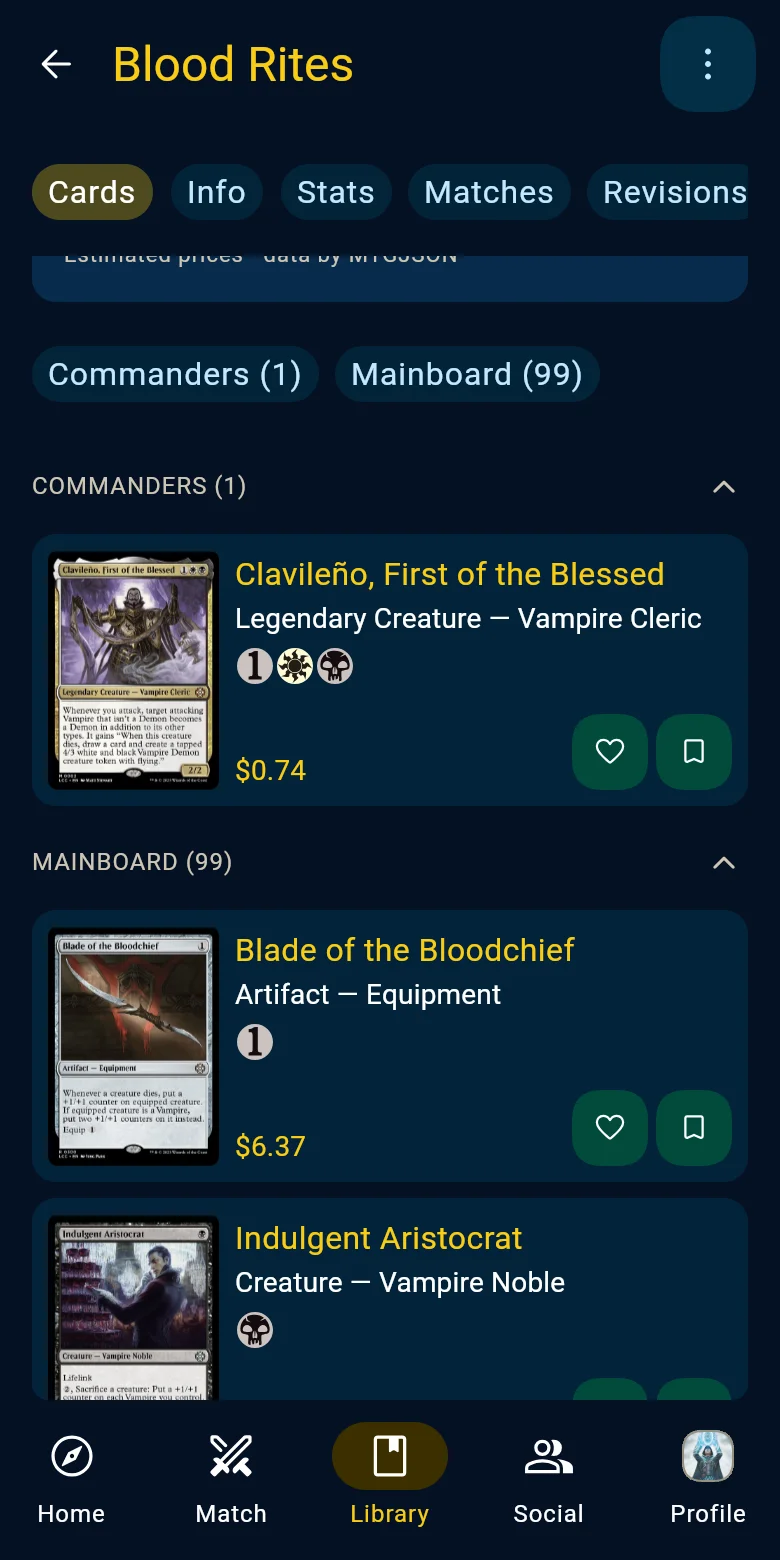
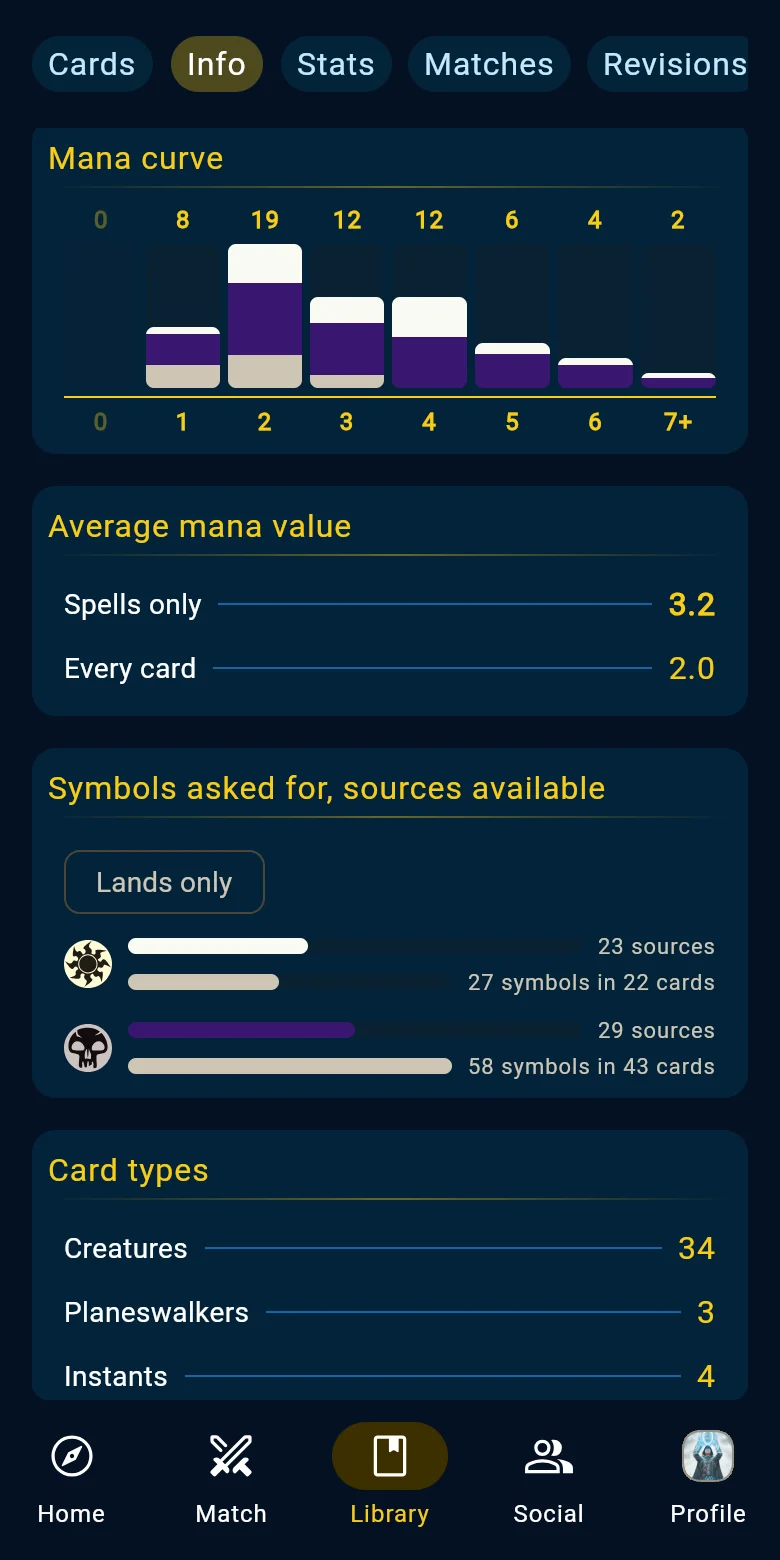
A deck and its statistics Find any card, in any printing
From the Home, a single search covers cards, sets, precons and rules.
- Search by name, text or type, with filters or shortcuts like t:creature mv<=2
- For every card, all its printings, related cards such as tokens and emblems, and the formats it's legal in
- Prices in euros or dollars from several stores, how they've moved and where to buy
- Favorites and private notes on cards, decks and precons
- Card data and prices from MTGJSON; images, rulings and set data from Scryfall
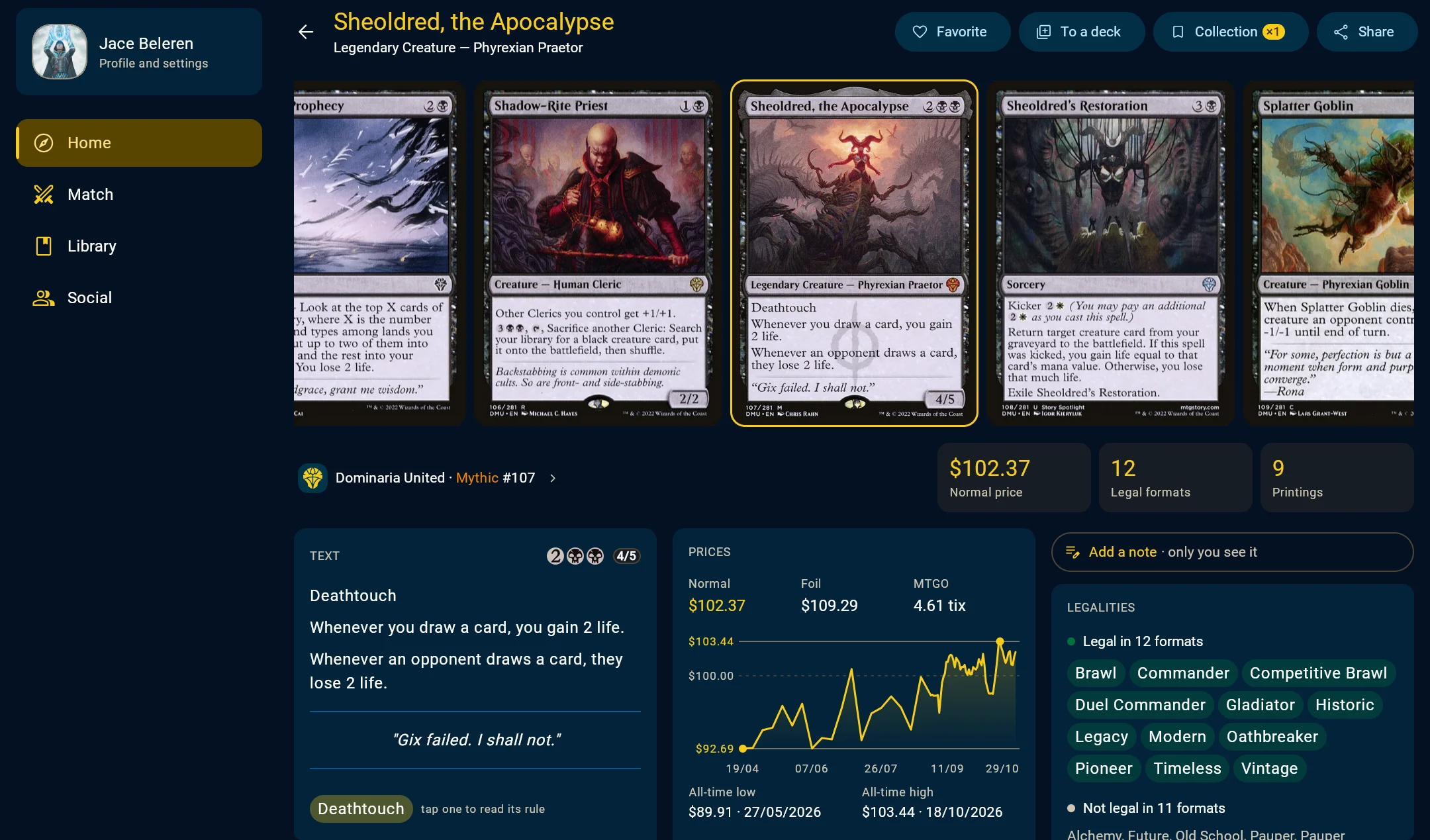
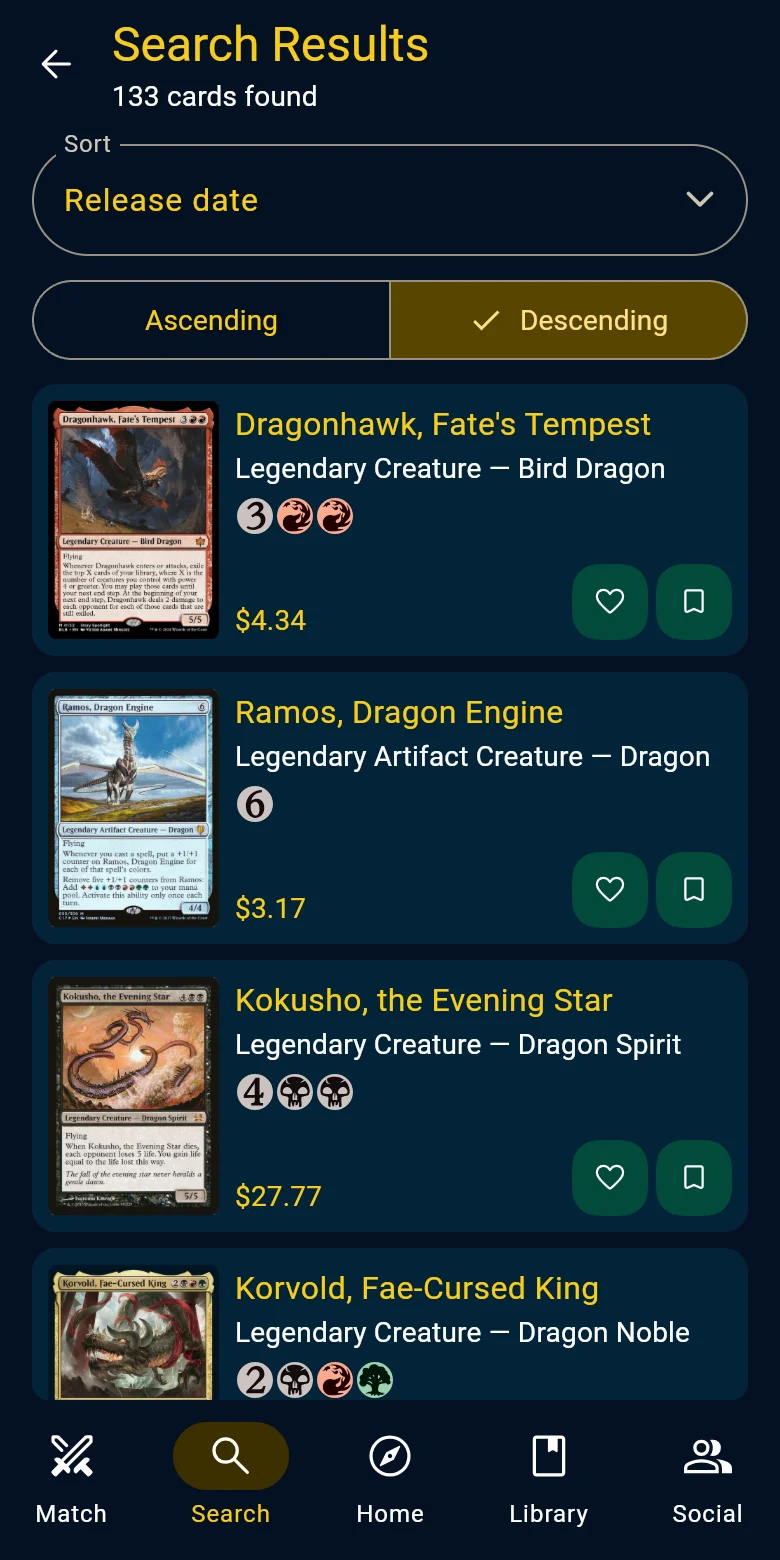
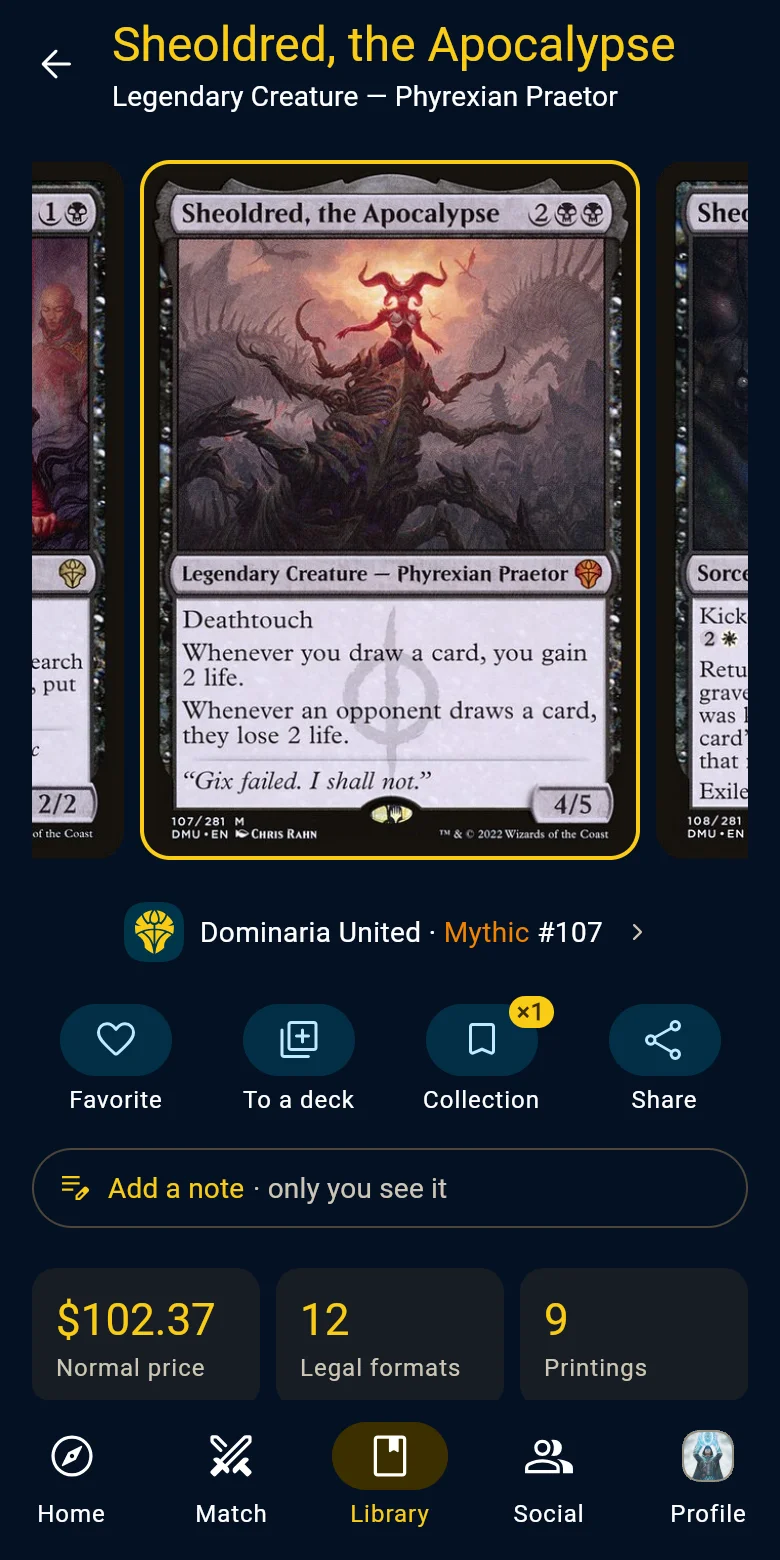
A card's page and a search Explore sets and their products
Browse every set with its cards and products, including the ones not out yet.
- Filter sets by format and type
- Boosters, boxes, bundles, Draft Night and decks from every set, with their Cardmarket price in euros
- Every precon, with Secret Lair drops in a section of their own
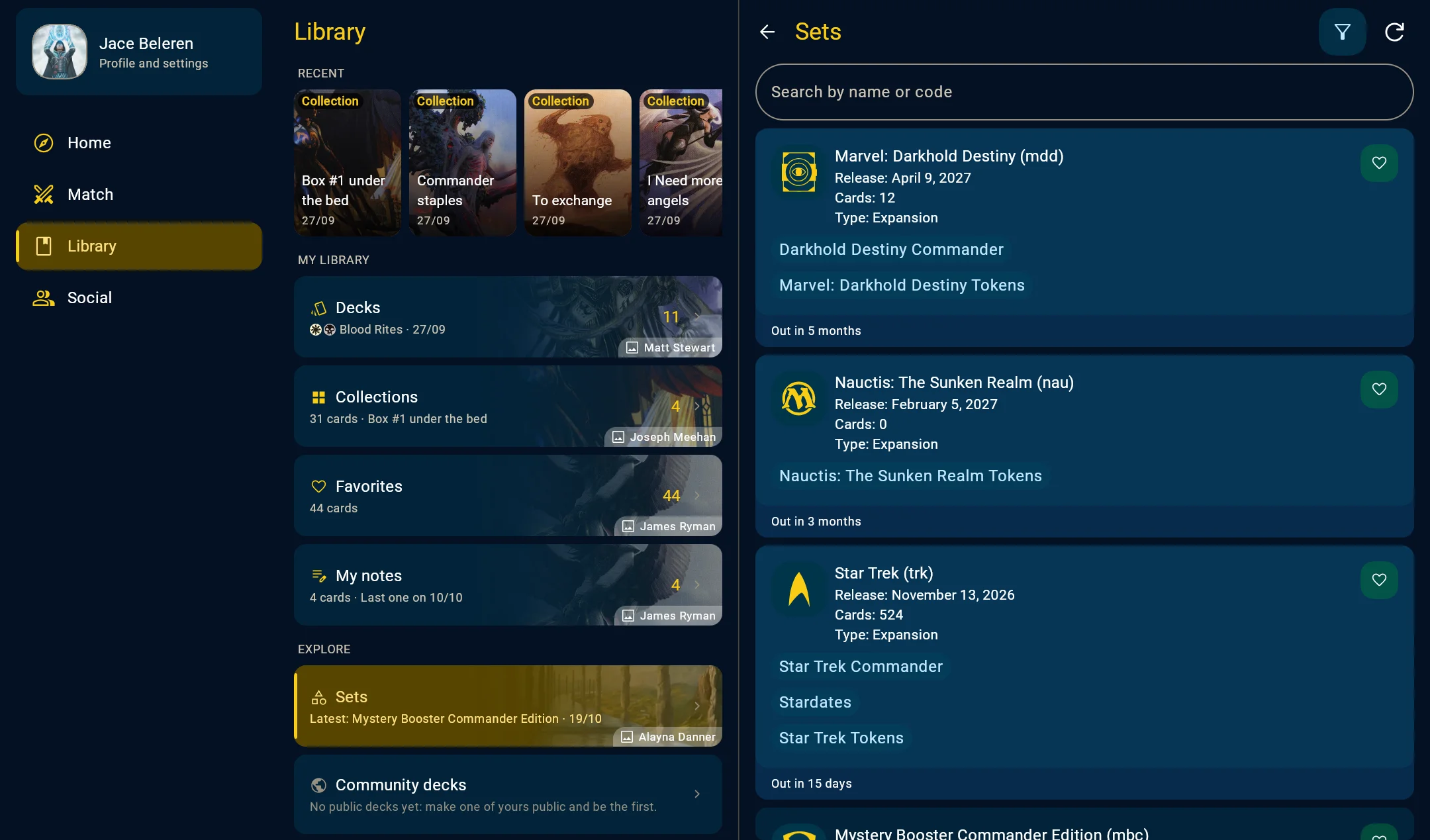
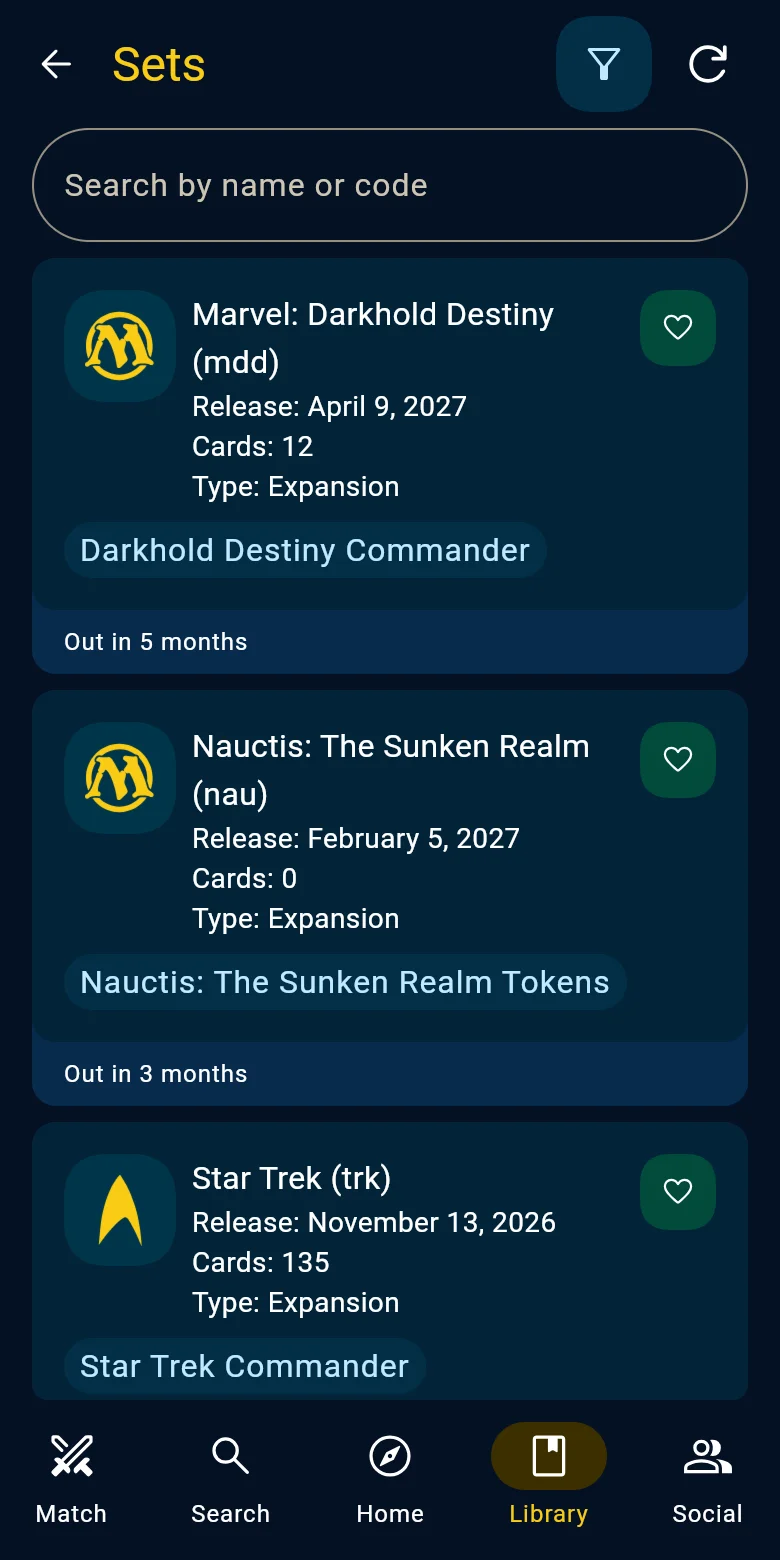
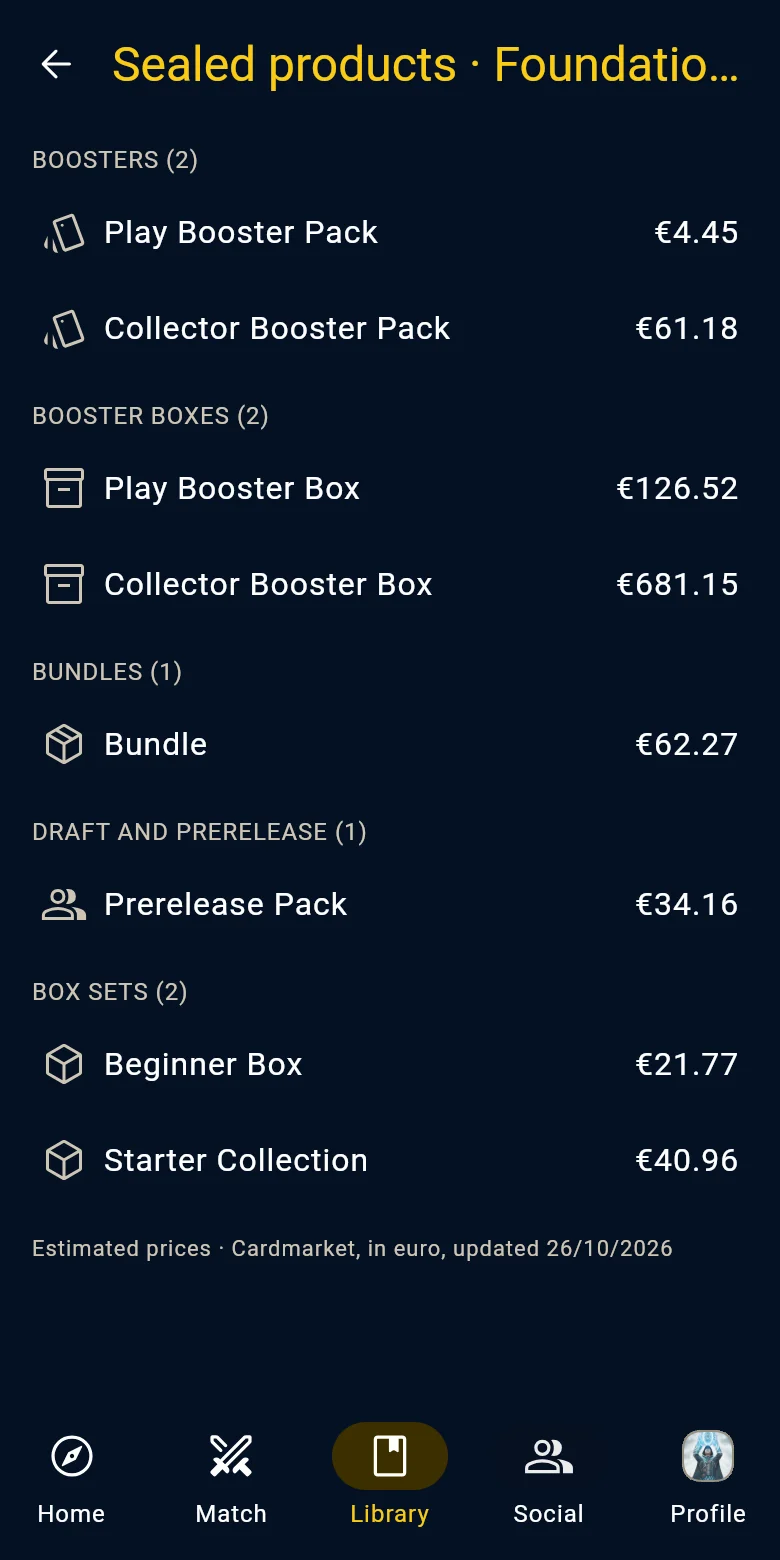
A set and its products Organize your collections
Make as many collections as you like and record each copy's condition, from Mint to Poor, its finish and its language.
- See each card's price and the collection's value, updated every day
- Import a CSV from Moxfield, Deckbox, ManaBox or Archidekt
- Add cards by pointing your camera at them
- Choose who sees them: just you, your friends or anyone with the link
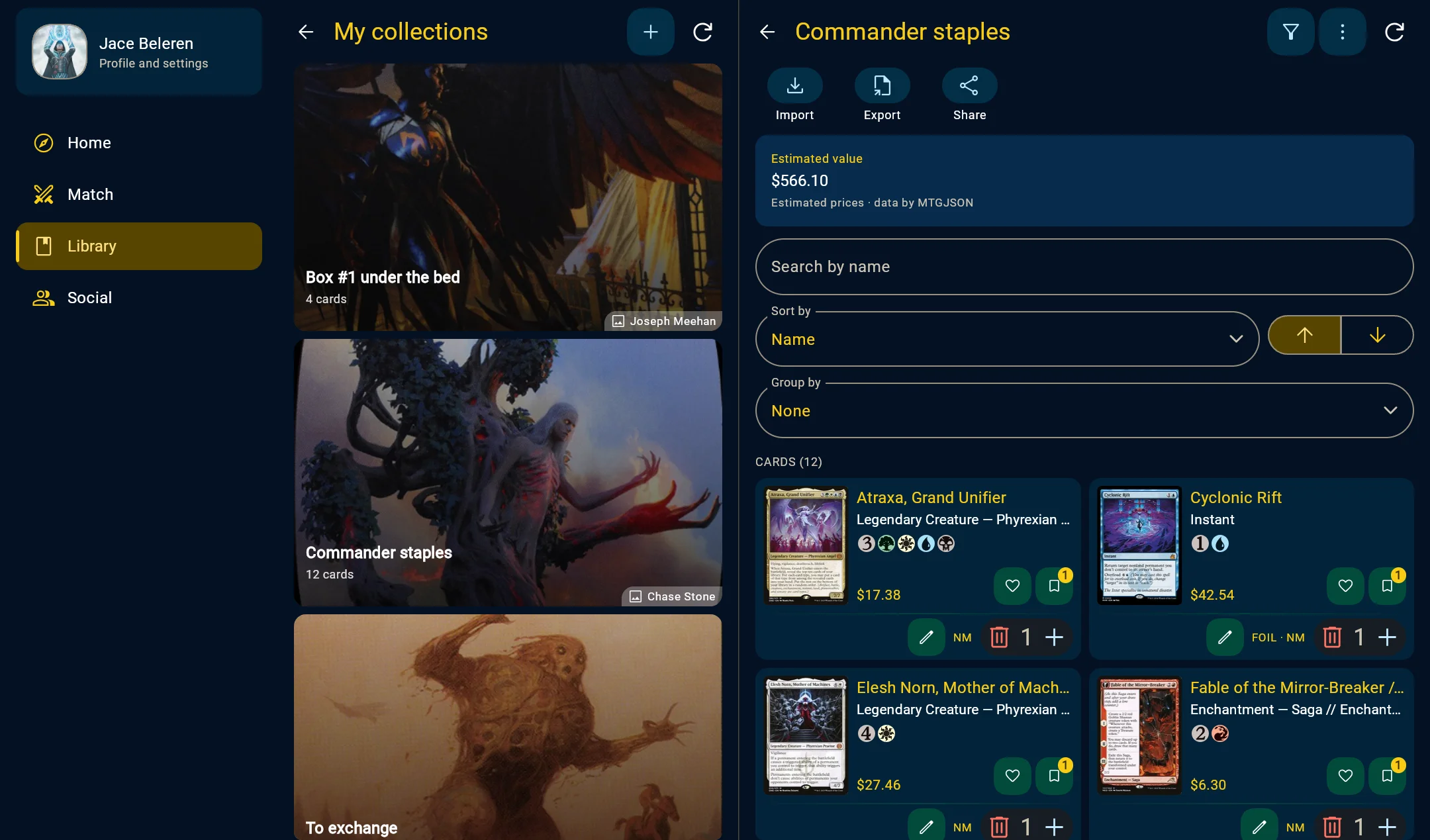
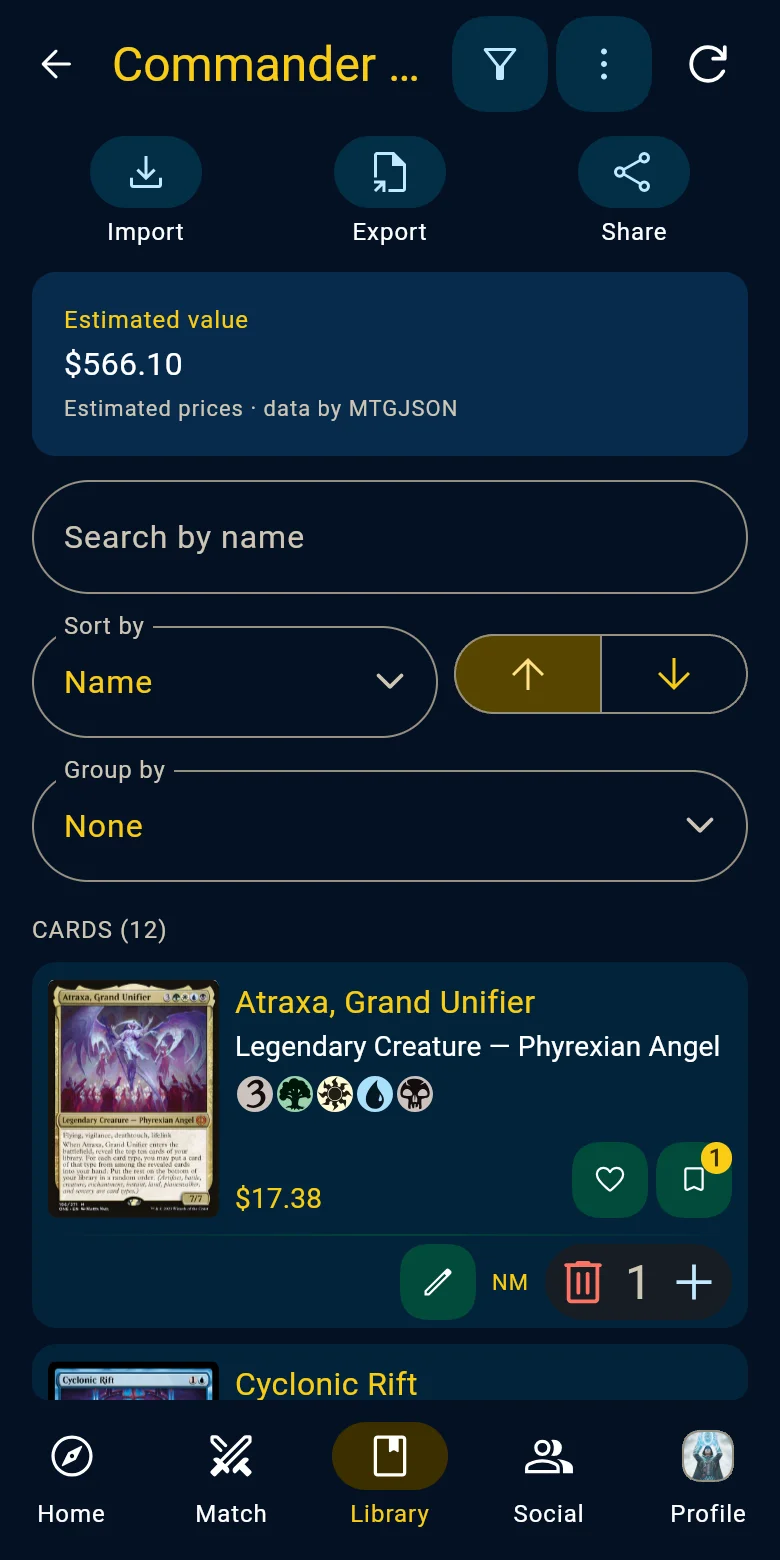
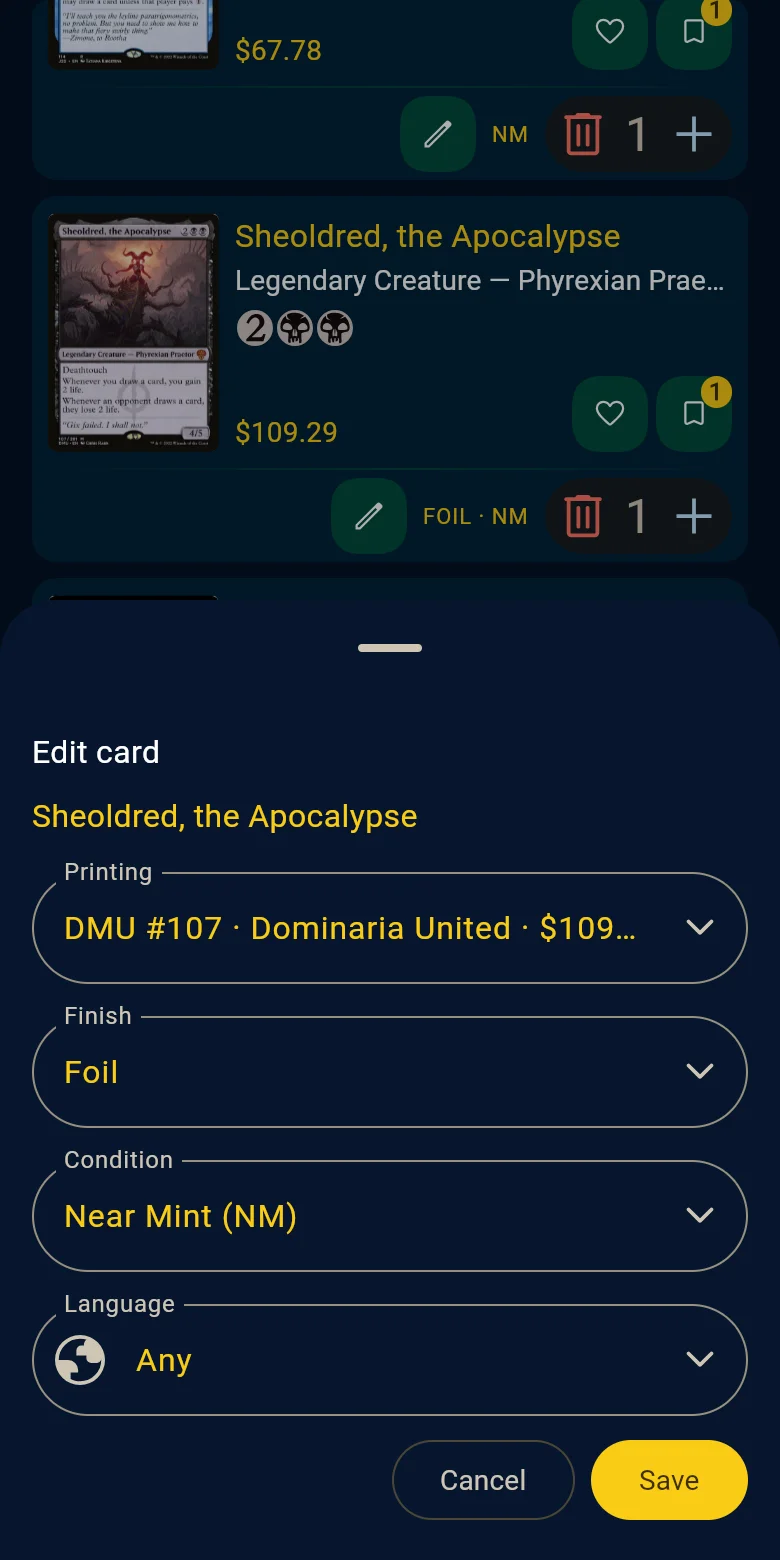
A collection and a copy being edited Run your paper games
Life, poison and commander damage for every player, with a single phone in the middle of the table.
- Classic, Commander, Two-Headed Giant, Brawl, Oathbreaker, Pauper Commander or Duel Commander, with up to eight players laid out as they sit
- Start an online game so everyone keeps their own score on their own device
- Win rates by color, format and deck, plus head-to-head records
- Every game adds to the stats of the deck you played


A four-player Commander game and its statistics Scan your cards
Point your camera at a card and the app recognizes it on its own, with no button to press.
- It recognizes the card's language and printing
- Scan one card after another without stopping
- Add them straight to a deck or a collection
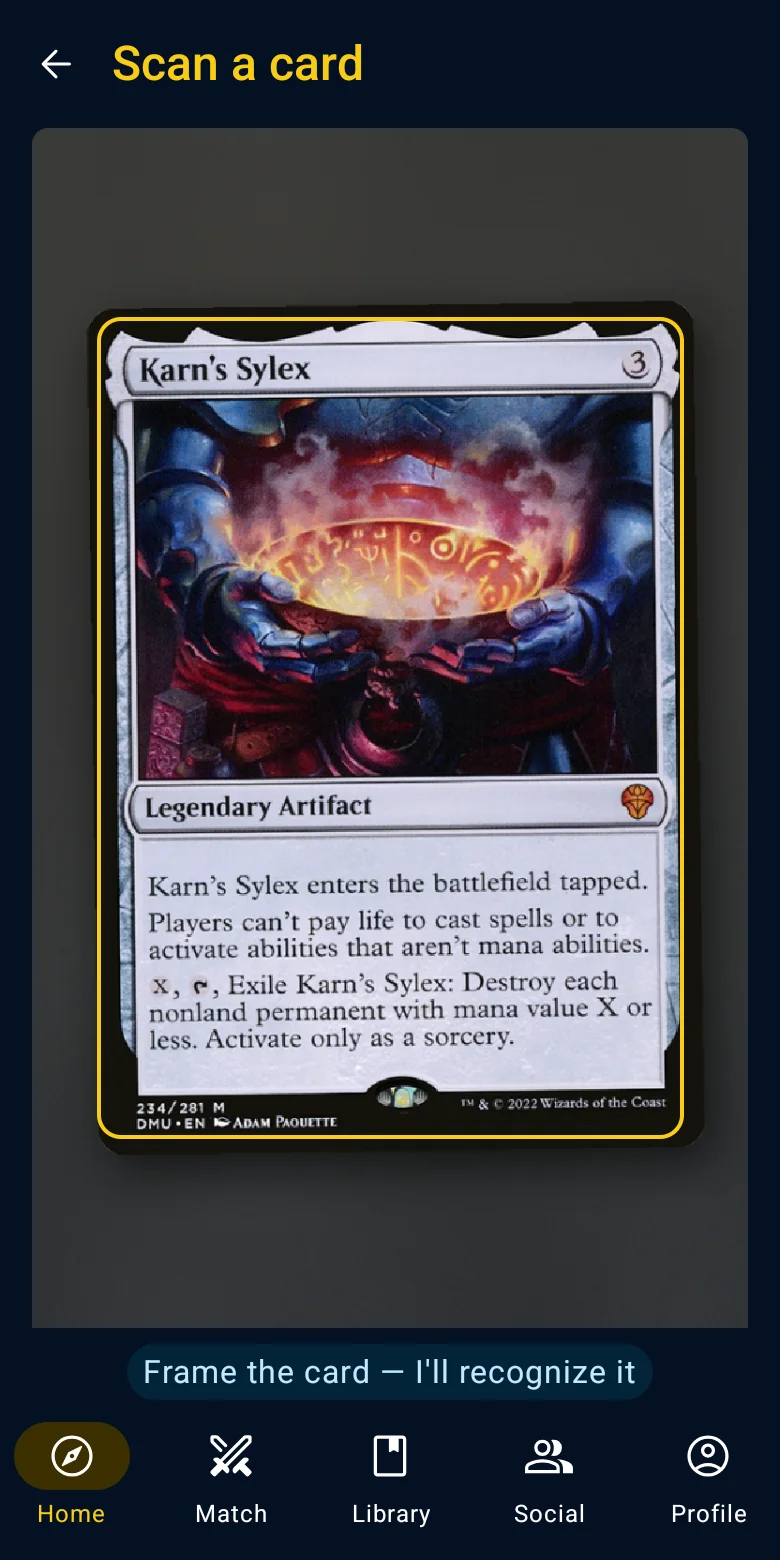
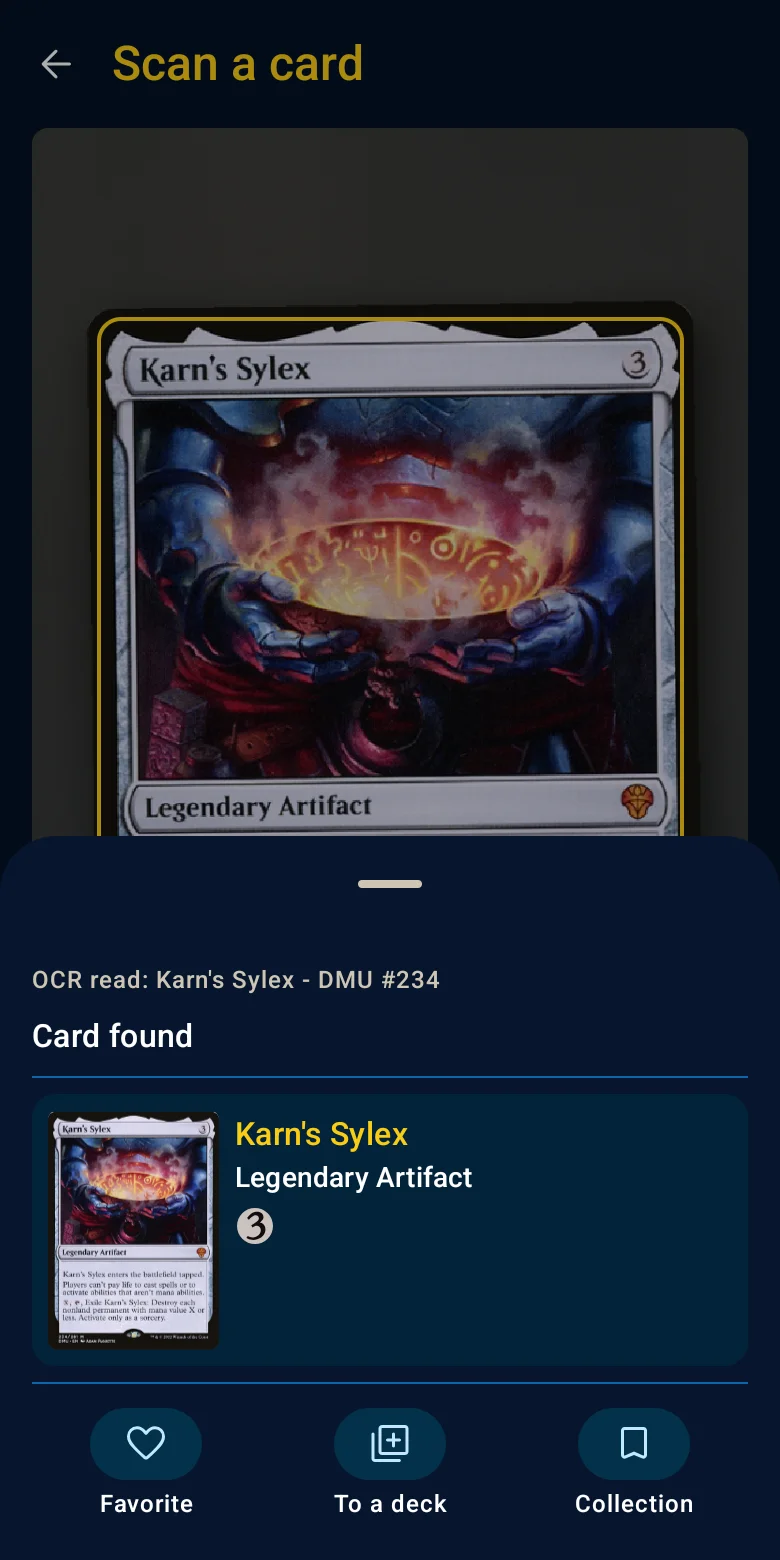
Scanning from a phone Share with friends and the community
See the decks and collections your friends share with you, and discover the community's public decks.
- Add friends by their nickname
- The Home shows the newest decks from the community
- Add decks, precons, cards and sets to your favorites: the Home shows the community's most loved
- Choose who sees your decks and your collections


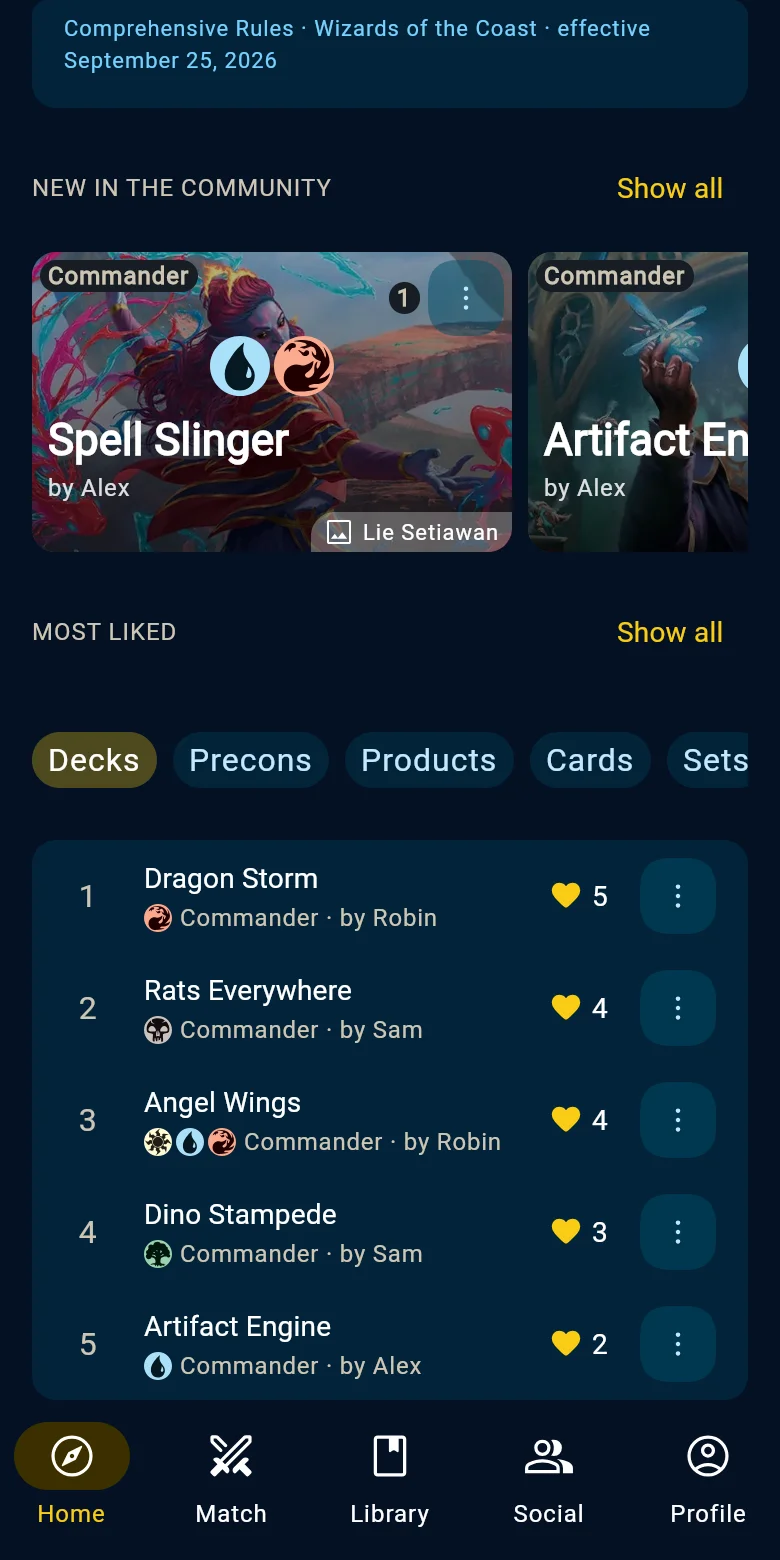
Friends and the most liked decks Look up the rules
A question mid-game? Look up the rule by number, keyword or glossary term and read it right away.
- Open a keyword from a card's page and read what the rules say
- Each time you open the Home, a keyword picked at random, with its explanation
- The excerpts come from Wizards of the Coast's Comprehensive Rules, with a link to the official text
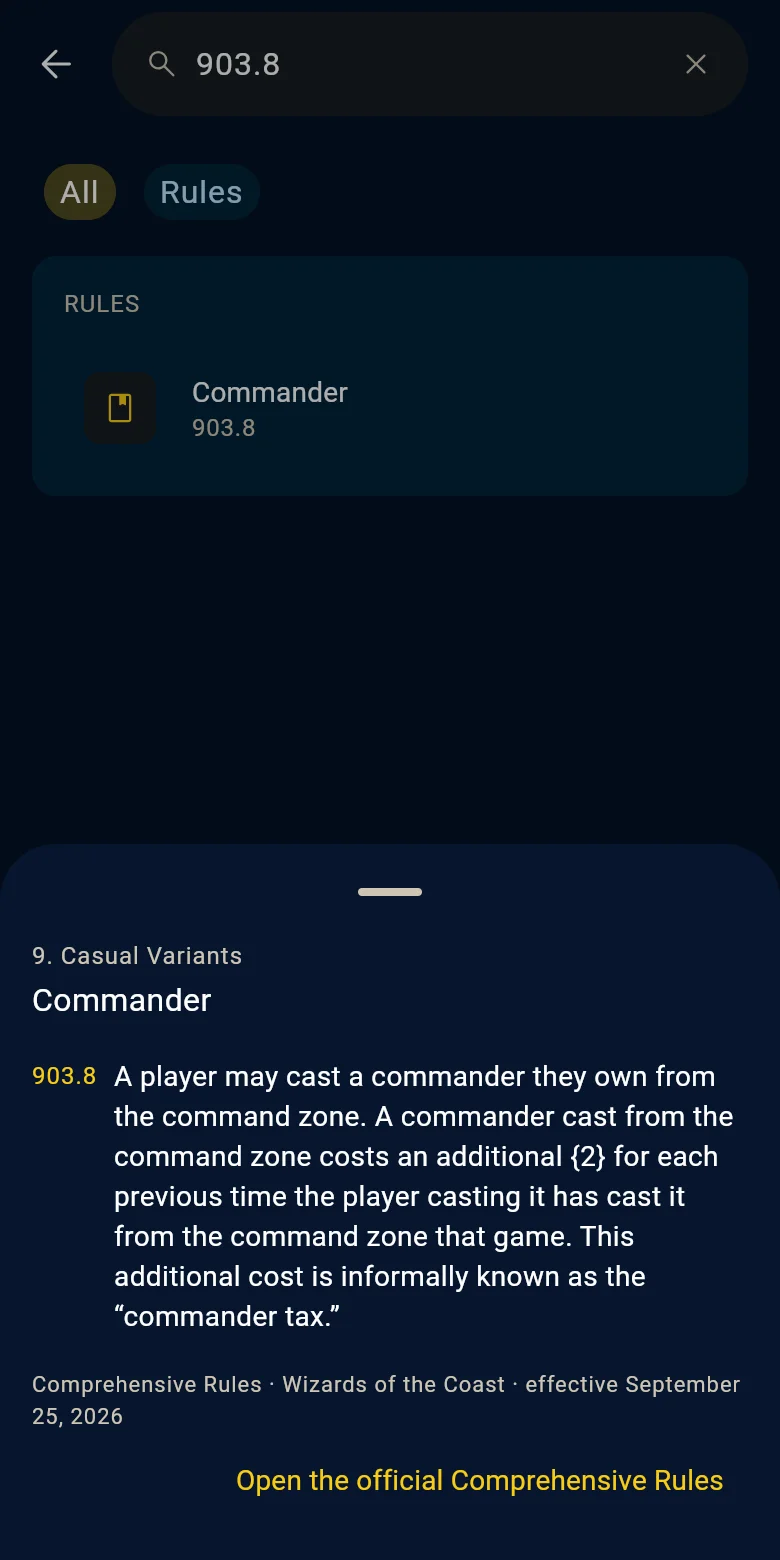
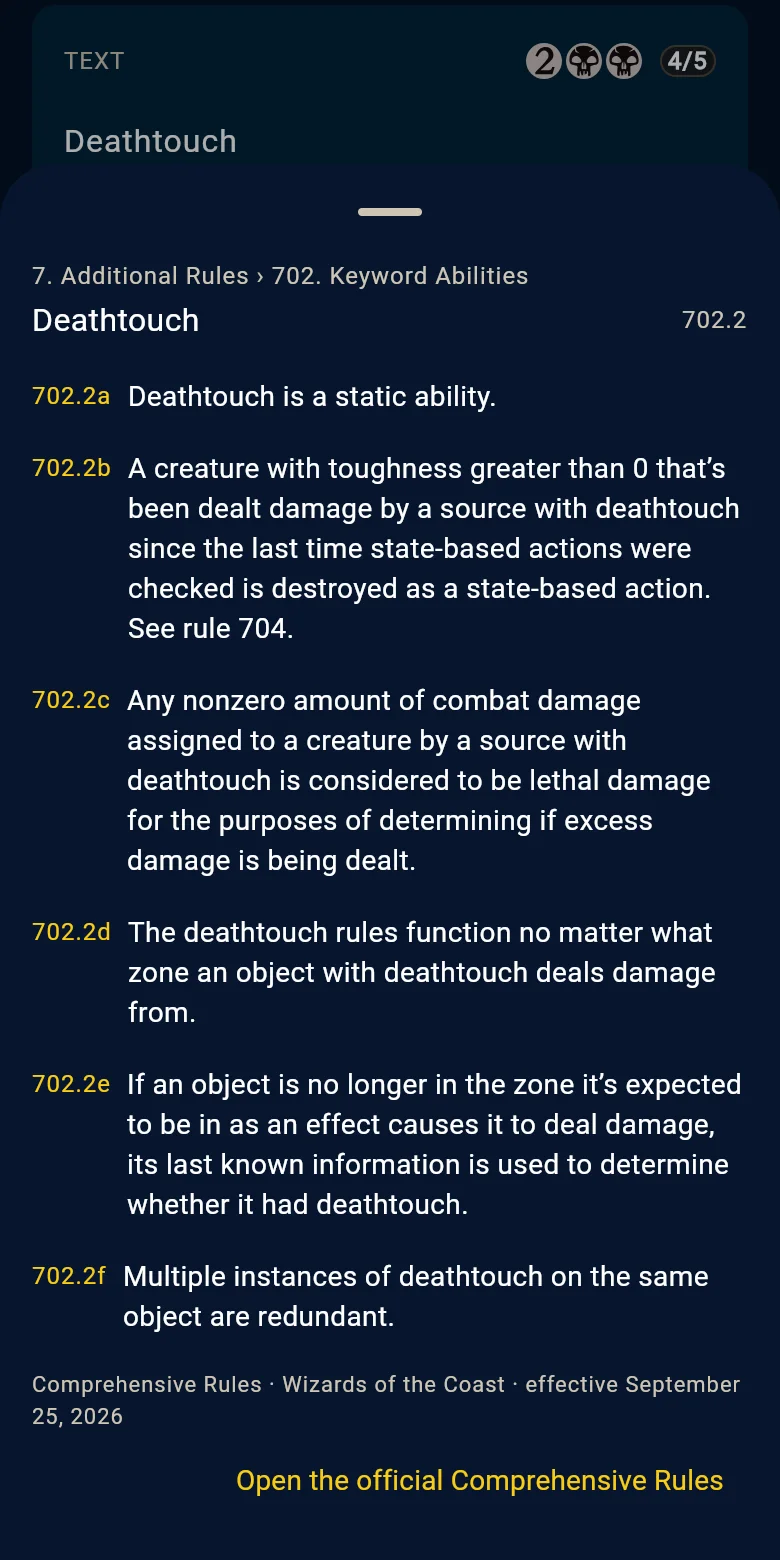
A rule and a keyword - On Windows
Connect MTG Arena
With the Windows app, your MTG Arena decks and games come straight into Warlock Assistant.
- Stats for your Arena decks: wins, who went first, mulligans and your opponents' colors
- During a game, a tracker shows the cards left in your library and the ones your opponent has played
- Your rank, your wallet, your events, your draft picks and the community's meta
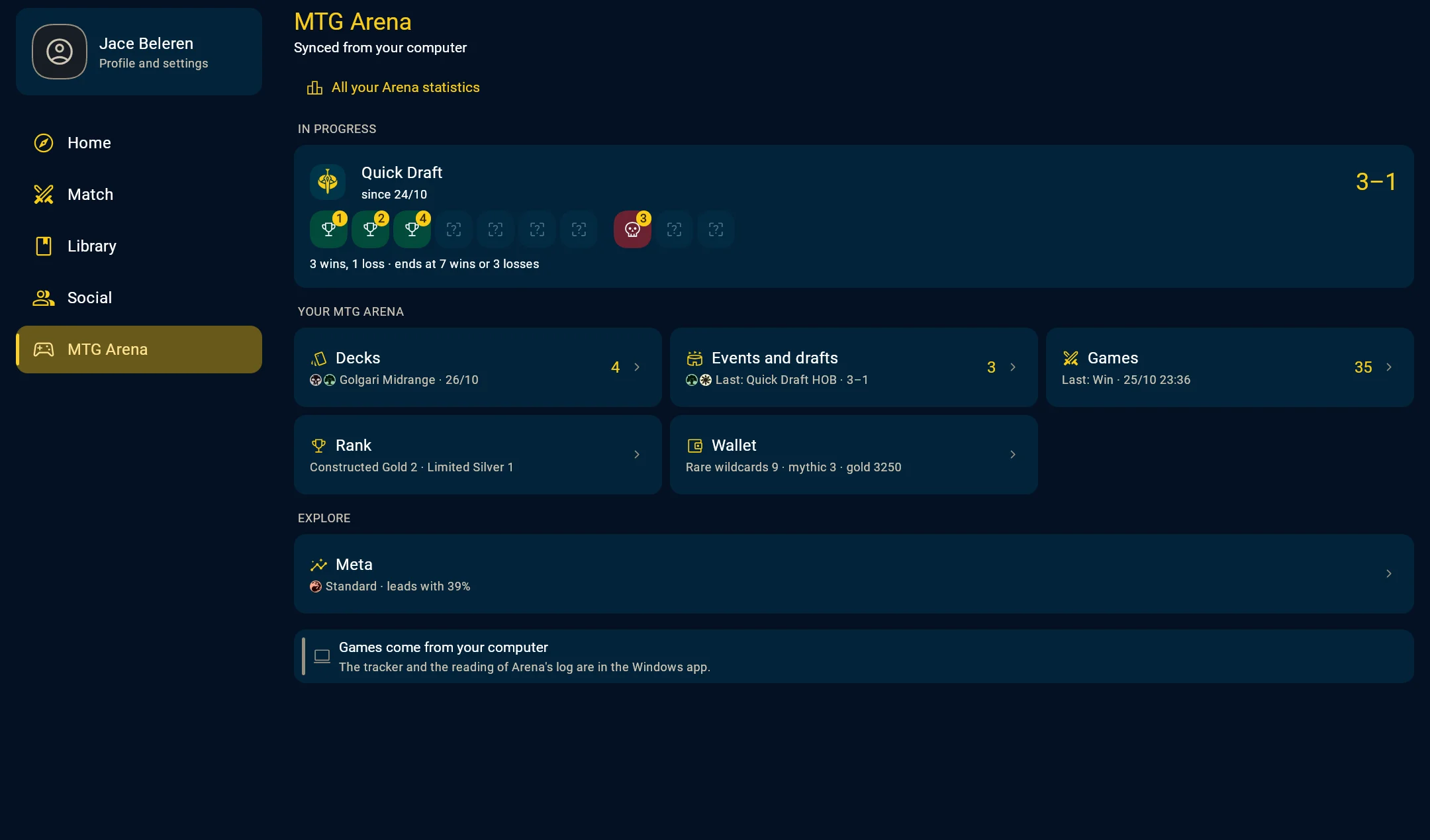
The MTG Arena hub Use it anywhere
On a phone, tablet, computer or in the browser, with or without an account.
- Without an account you already have decks, collections, games at the table and every card
- With an account you find everything on every device, play online and share with friends
- On a computer you use it with mouse and keyboard
- The app is in English and Italian, the cards in 11 languages
- Export everything you made, or delete your account, whenever you want
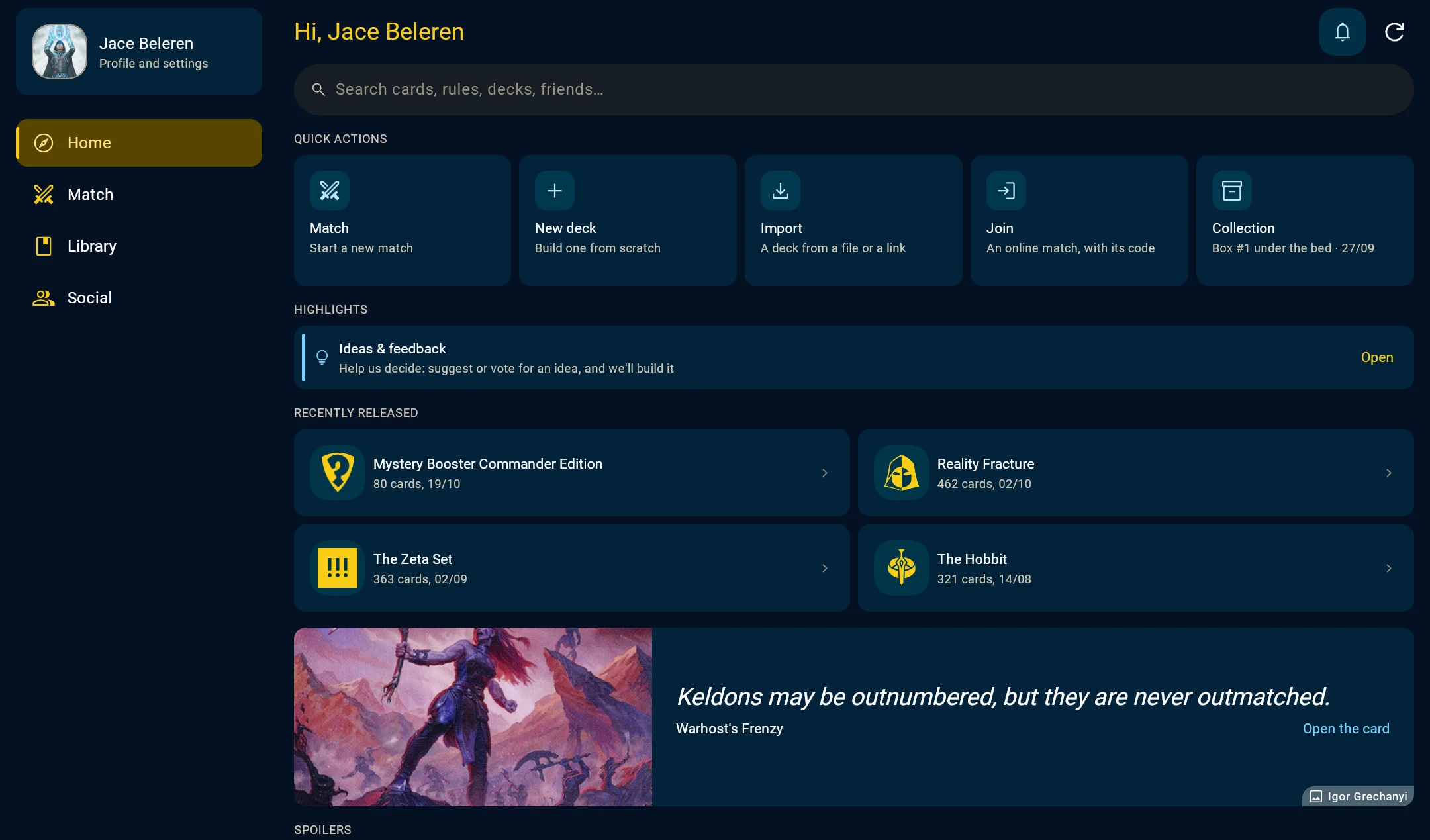
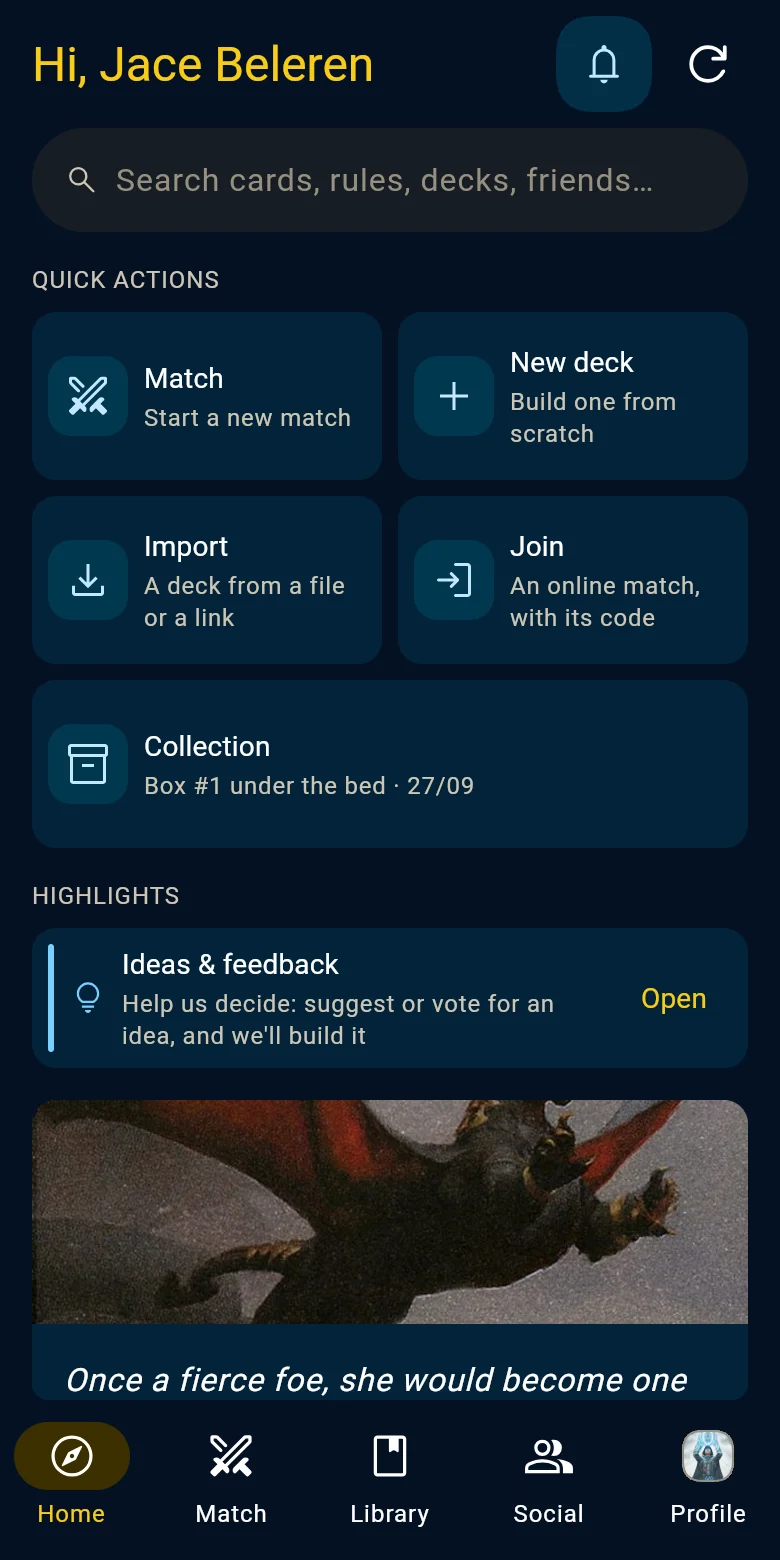
The Home on a computer and a phone
Get the app
On your phone, tablet, computer or Chromebook, or right here in the browser
For this device
On iPhone and iPad
On Android
On Windows
On Linux
This browser didn't offer to install it. In Chrome or Edge, use the install icon in the address bar or Install in the browser menu. In Safari, choose Share, then Add to Home Screen on iPhone and iPad, or File, then Add to Dock on a Mac.
Coming soon: Flathub
On ChromeOS
In your browser
This browser didn't offer to install it. In Chrome or Edge, use the install icon in the address bar or Install in the browser menu. In Safari, choose Share, then Add to Home Screen on iPhone and iPad, or File, then Add to Dock on a Mac.
Phone, tablet and Mac
Computer
Browser
Chrome, Edge and Safari install it like any other app.
This browser didn't offer to install it. In Chrome or Edge, use the install icon in the address bar or Install in the browser menu. In Safari, choose Share, then Add to Home Screen on iPhone and iPad, or File, then Add to Dock on a Mac.
Free, for good
Nothing behind a payment or a sign-up
- The app, on every platform: decks, collections and matches
- Every card's data, images, rulings and prices, and every precon list
- Searching and browsing all of it
- What you make in it, and exporting it whenever you want
You never need an account, and never need to pay, to reach any of it. Terms and Conditions, section 3